Showing posts sorted by relevance for query surgery. Sort by date Show all posts

Friday, October 27, 2006

Tablet PC Surgery (Video)

A friend of mine phoned recently – rather sheepishly – proclaiming that he’d dropped his slate and cracked the screen. Oops! That’s the phone call you don’t wanna get. So a few emails, some serial numbers, and a touch screen later, here we are with another session of UberTablet Surgery. The slate is the TabletKiosk Sahara i215, and the gloves are genuine latex baby!

Rather than handing it to someone else I thought it might be a good opportunity to let you into the inner workings of a modern slate PC. Not only will you get to know the intestines, but you may learn a thing or two about just how much glass walks around with you on a daily basis.

Because you want it – here it is:


Download Hi-Res Video - right click & "Save as"


My last pictorial of UberTablet Surgery was this episode of BIOS PHLASH

Thursday, September 21, 2006

UMPC Surgery - Parental Supervision Required

Some bloggers have been known to get down and dirty with their little PCB friends. One such occurrence I can recall is JK and this series of naked shots (to find this I had to Google “James Kendrick Naked”…THAT’S SCARY). While today is more like Tablet Surgery than Tablet Adultery I still wanted to take you on a journey with me - kind of like those mini camera pills people pop to look at the workings of their internal organs.

Sit back and squirm enjoy as we take a walk through EO.


One little Black Eo and one White

RAM comes out

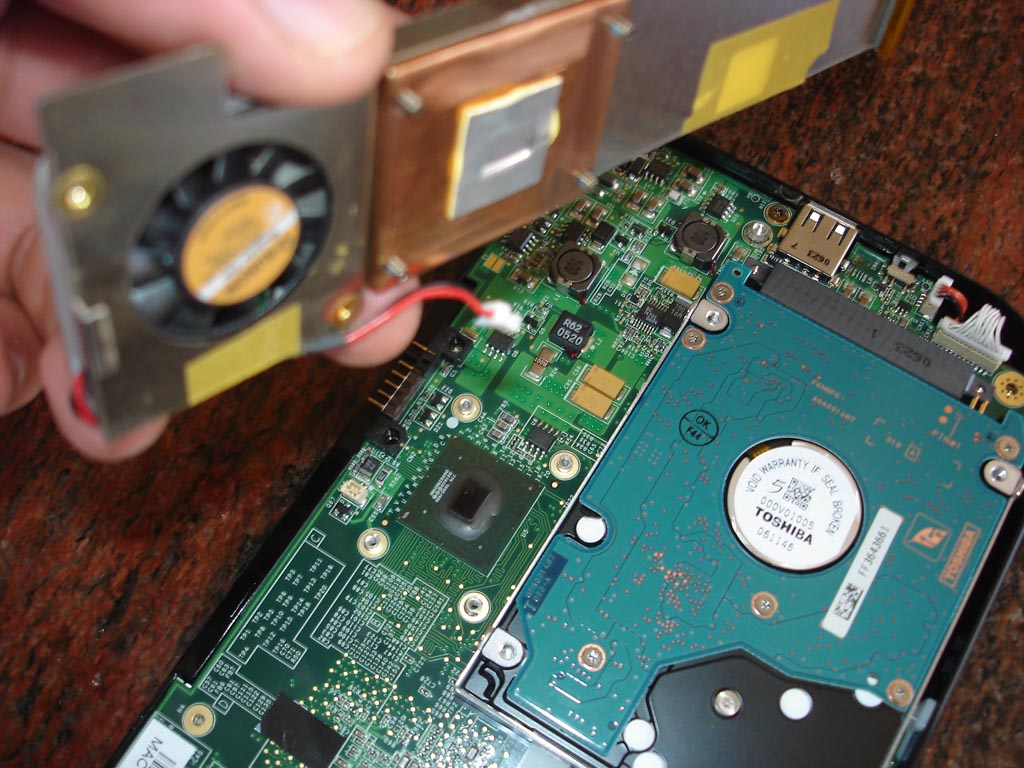
CPU fan staring at you and CPU lef quivering below

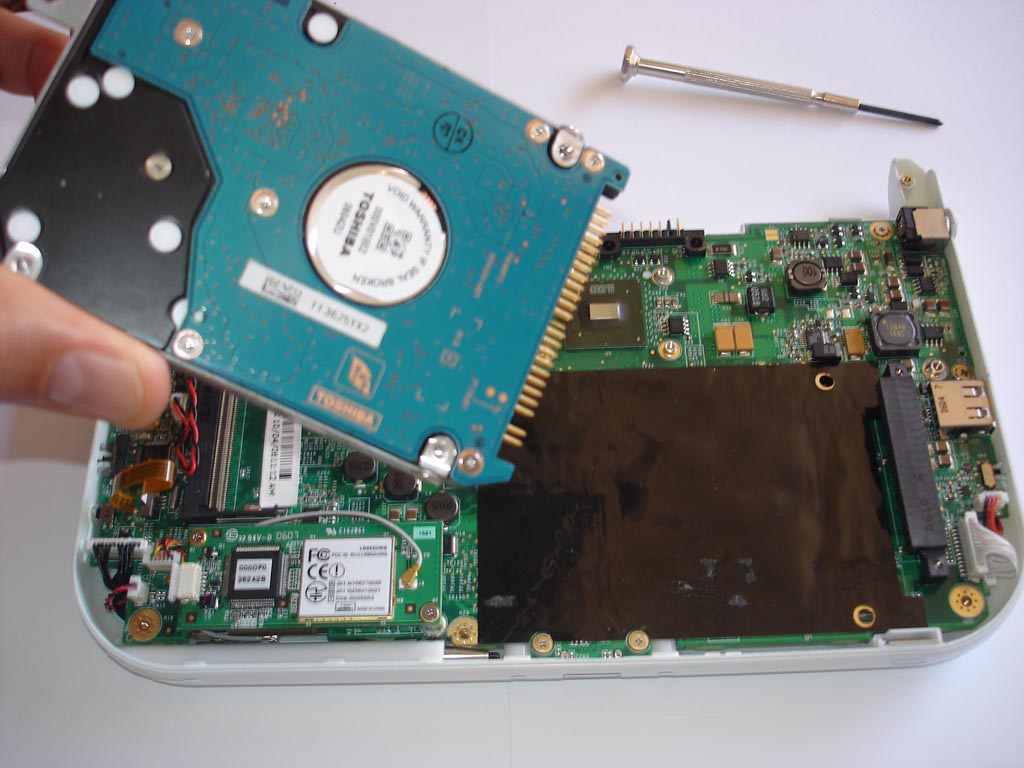
2.5" HDD Comes out

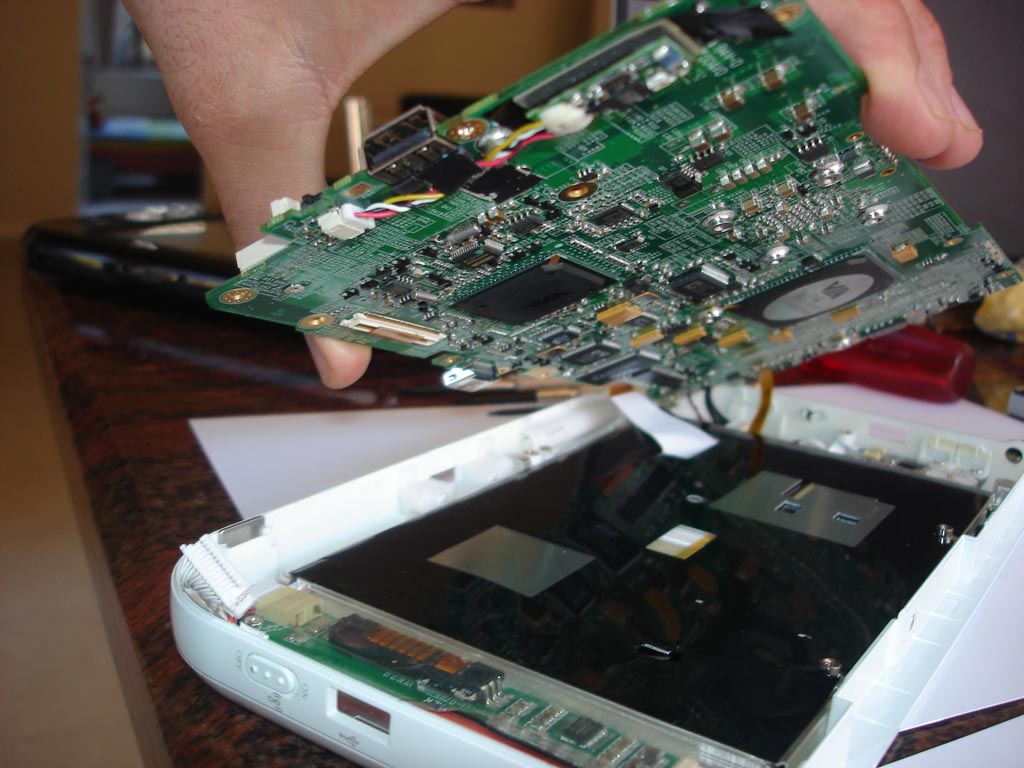
VIA Processor & Touch Controller ontop, and back of screen on bottom.

Wednesday, February 01, 2006

Tablet PC Surgery - Scalpel Please!

Tablet Surgery requires extreme patience and concentration. Sometimes the most arduous task like resetting BIOS (in this case unplugging the battery for 3 seconds) can turn into a 45 minute marathon.

In UberTablet.blogspot.com we’ve promised to BLOG our Tablet PC experiences (Sydney, Australia). This experience is a visual feast for all you Hardware geeks, and Tablet PC enthusiasts to remember and share.

20:45 1st Feb 2006

Uber Nurse: Doctor, Doctor, we’ve lost the pulse…what do we do?

Uber Doctor: Give me a summation of the situation please nurse?

Uber Nurse: The victim (Tablet PC) came in at approximately 20:45. We initiated DC into the device and tried reboot – no avail! We’ve removed the battery pack and inserted 60GB of 5400rpm H.D.D and again no elation!! Currently we’ve not witnessed signs of life for approximately 90seconds. Family members, upon questioning, recall no odd behaviour prior to the event. “We’d placed a Gig of RAM in the device about a week ago”, one distraught family member recollects, “the next time I went to utilize the device I couldn’t wake her up”, he lamented just before bursting into tears.

Uber Doctor: Nurse, knowing that Microsoft Knowledge Base chronicle’s Hibernation issues with Tablet PC Edition 2005 ( http://support.microsoft.com/kb/893056) I recommend a BIOS reset and immediate FLASH after reboot.

Uber Nurse: But Doctor…

Uber Doctor: Nurse! Please! I’m familiar with the procedure; now hand me the 9mm philips screwdriver and initiate pouring of 350ml of Soda Water…for me please.


The following is a graphical record of BIOS resetting on the Sahara Slate PC. While the procedure may seem daunting, I will use all resources at my disposal to journal the event, for your future reference and mine.

Do not try this at home folks. I’m highly skilled, experienced, and have the replacement parts at hand in case things get ugly. It's important for you to know that this issue (as per Microsoft KB 893056) is now virtually non existant with Tablet PC. The key here is to have the latest Manufacturer BIOS installed on your Tablet at all times.

Lets begin:

Take 1x non-booting iTablet Slate PC (Sahara) and my trusty 100-in-1 Screwdriver set;
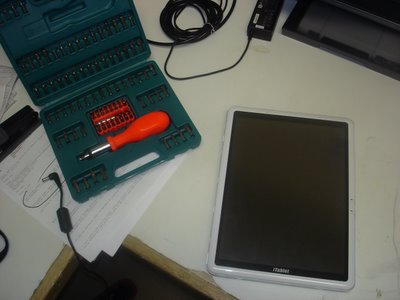
Now dismantle;
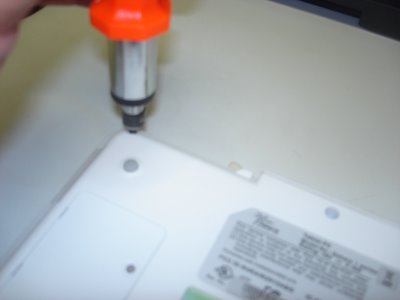
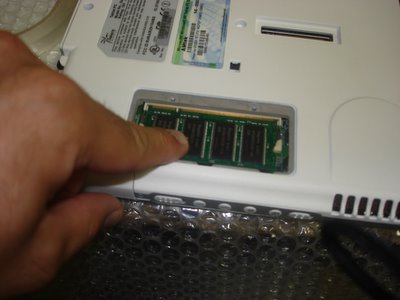
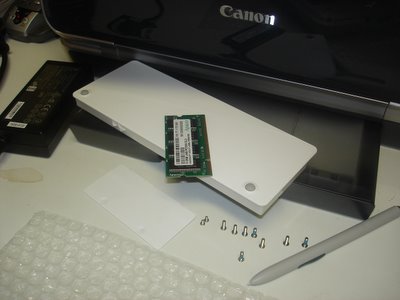
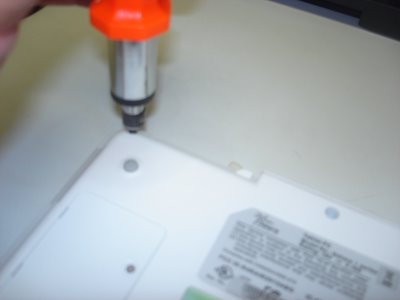
Take the RAM cover plate off and lift the memory module out (PC2700 184pin SDRAM), remove the Battery Pack, 8 medium sized screws, 2 small screws, and the Wacom Digitizer pen out of its sleeve - the bubble wrap is there to protect the Tablet from incidental scratches from my workbench;
Unscrew the VGA connectors.
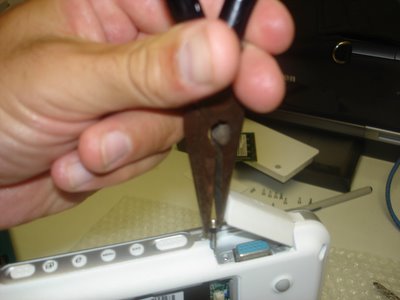
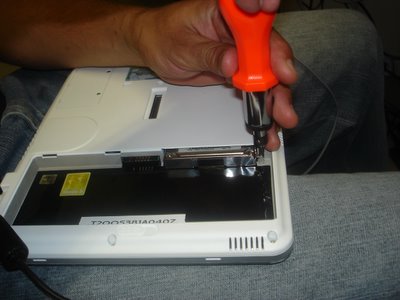
Now unscrew 1x small screw and you can pry out the 2.5" hard drive.
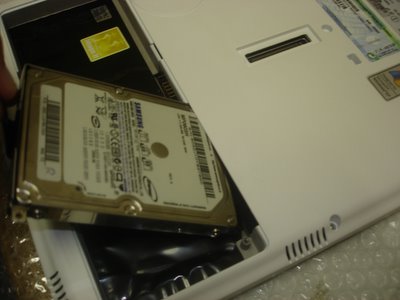
Almost forget, pop out CF slot protector from the CF slot.
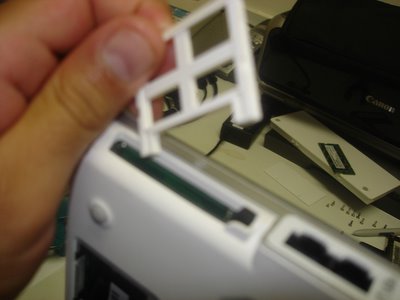
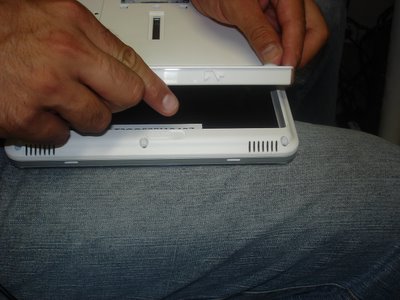
Now stick your fingers in and CRACK, the case will begin to show some PCB. Can you smell it? mmmmm...
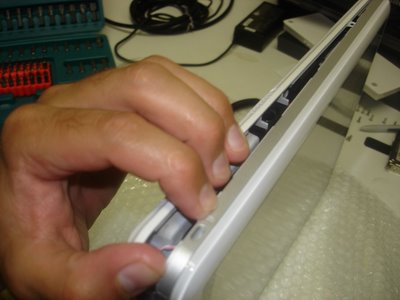
That's right, go where the sun don't shine!
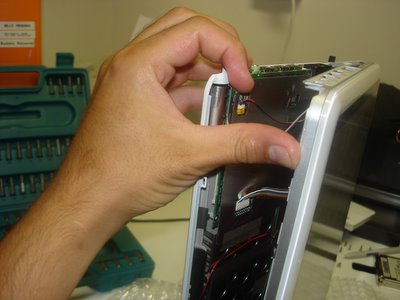
Now this is where your average Power User becomes Power-less, but not you, your an Uber Tablet Geek. Do you see the little ribbon cables, that's where your hands are gonna' surgically disconnect the screen from the motherboard.

Come on, get in there!
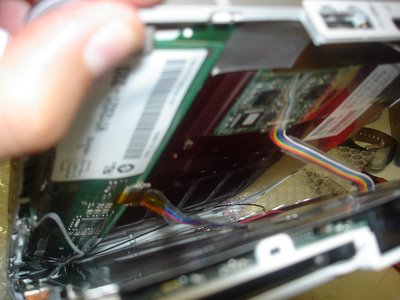
Well done Uber Geek! You've carefully peeled away both halves to unveil the most glorious look at your Wacom Digitizer board sitting on top of the Tablet PC screen (LEFT pic.), while the alloy shielded motherboard anxiously awaits its undressing.
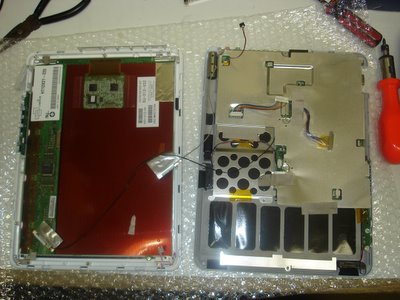
Don't let the beast intimidate you. Grab him, tame him, and unscrew the alloy shield and let's get to the motherboard!
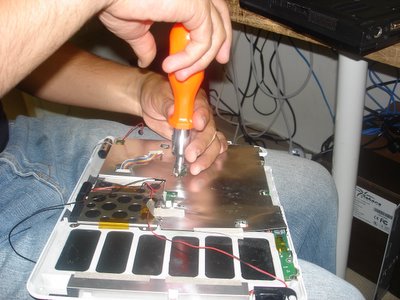
Now that we're at the guts of the machine, remove any of the remaining intestines (cables and connectors) from the motherboard.

You probably don't need to disconnect all the cables, but I just love pulling things apart.
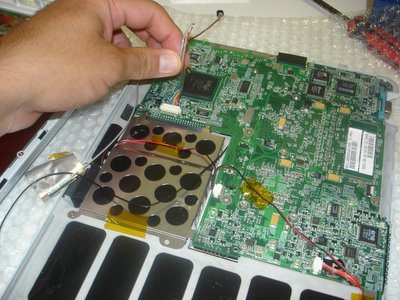
Release the motherboard from its human constraints (the case) and get ready to hit the PCB-spot.
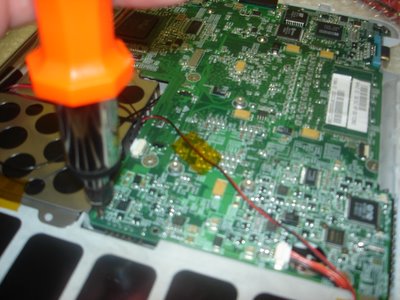
Now peel the case away from the motherboard, ensuring that you're not forcing them from each other.
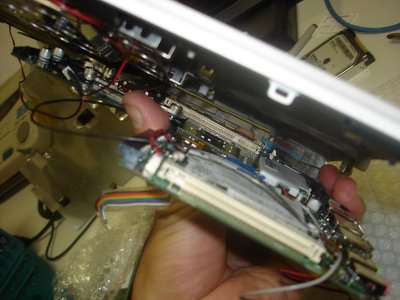
There she is, the under belly, a site that will either make your stomach turn or your heart race with excitement; either way it’s the device that has revolutionized the way a lot of us live.

Oh! There's the battery (in blue) that we've so eagerly gone hunting for. We’re now on the home stretch.
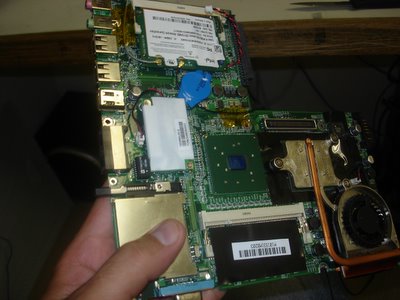
Now grab the 2-pin cconnector and seperate it from the motherboard for 3 seconds. You're done! Well done!
The BIOS is reset; now put it all back together you clown!
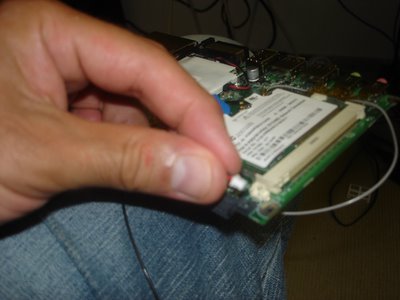
One last peek,
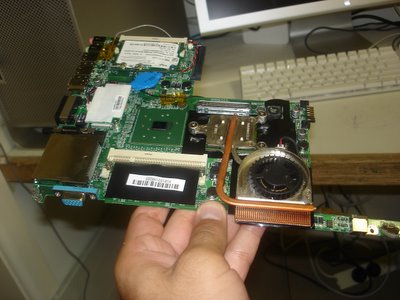
and back she goes. This unceremonious disrobing will soon be complete and the Tablet PC will live to INK another day.
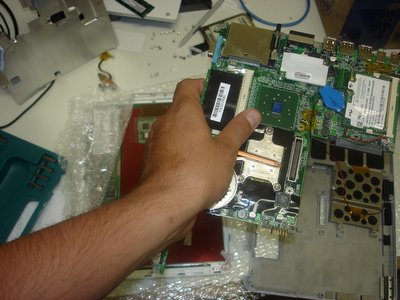
Turn the motherboard back over and secure it into place. Careful now, we don't want any screws left over!
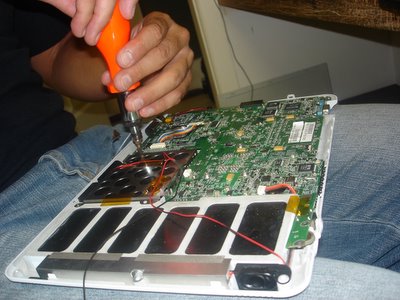
Alloy sheath back on, ribbon cables connected, and your almost ready to reunite both halves.
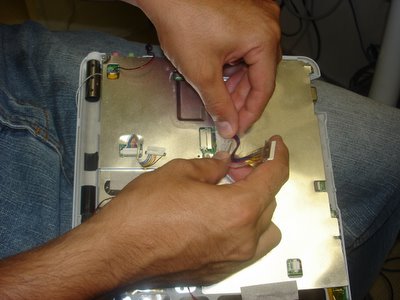
You'll require some finger gymnastics to really make this work so make sure you do your stretches.
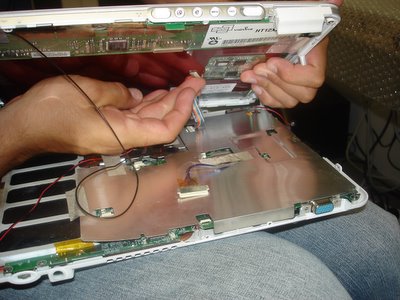
Don't forget to complete all the connections;
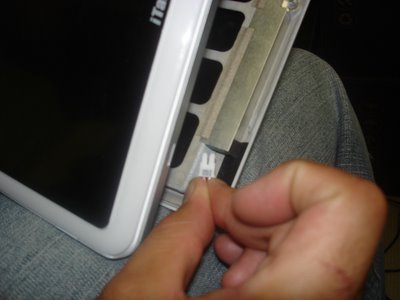
and I mean all of them.
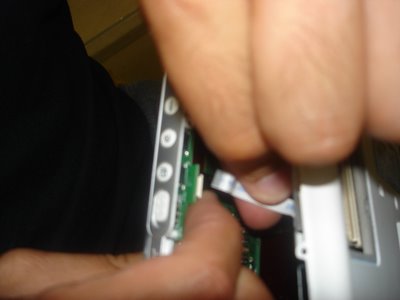
Wedge to two halves together, and fasten the screws again.
Put the RAM back,

Hard Disk back,

Battery Pack back,

and you're all done Uber Geek.
Now watch the video and see if it works:

See if she boots - click here!!


  • Need any more information?
  • Had any PCB wars of your own?

Friday, March 23, 2007

TabletKiosk i215 Sahara Slate - SlashGear


Hugo Ortega on the Amtek TabletKiosk T200 Sahara i215

Slash Gear recently announced a new Slate by a Taiwanese OEM named Amtek. The model number is the T200 and the branding is iTablet; Warner was quick to spot it too. What I found interesting was that I have had the exact same model under my pillow for over two years. I even blogged about some Tablet PC surgery I performed on her (don’t try this at home folks). Over this period the only negative about the device, other than the retro specifications, was that it was never built to run Windows Vista, that is until I received an email from a friend recently.

It turns out that the Manufacturer Amtek, had in fact released a Vista BIOS that now allowed for the installation to occur. So instead of going through the install on my own I thought I would make you all part of my work day and share with you the Vista install. Enjoy!

By the way, Amtek is the manufacturer while Tablet Kiosk is the ODM; just like the ASUS is the manufacturer and Motion Computing is the ODM. The most exciting thing about the Sahara is that it just had a new sibling, the i440D.

Sunday, August 20, 2006

IT forensics', Tablet, UMPC and my cafe meetings

This week I must have had over half a dozen cafe meetings regarding Tablet PC, and Ultra Mobile PC. Because I’ve been handed the reigns to the Tablet PC Cart downunder I find myself in all manner of conversations. Yesterday, Saturday, I sat with an IT Forensics’ Expert that gets called in to retrieve data from Crime Related PCs. THIS WAS a FUN TALK.

Imagine being flown across the country, as an IT guru, whose job it is to reach into the embers of a petroleum-inspired fire, pull out the remains of what once was a laptop, and start to recover data. He recalls that on one such occasion the spinning platters normally found within a standard PATA/SATA hard drive had to be removed and "almost surgically" re-installed into a new encasement in order to begin the data recovery process. Often these criminals are so desperate to TRASH their PC (and the evidence therein) that they dunk them in sinks full of water and with the power packs plugged-in they turn the electricity on; he also mentioned an occasion where one 'crim' took a sledge hammer to his device and repeatedly beat at while police were breaking down his door.

It made me recall an instance where I performed some Tablet PC surgery myself. I know that firstly there needs to be a love for PC intestines when doing this sort of work. It isn't for the faint hearted and should not be attempted at home. If I were the ‘crim’ I'd resort to running (literally) two Tablet PC’s with a copy of Microsoft OneNote 2007 BETA installed on each. This way I could synchronize my handwritten notes over a second PC and burn one laptop while making away with another under the arm!!! LOL

Another meeting I had this week was with a Window Manufacturer. He tells me that the Window Manufacture industry is one of the largest in the world and most lucrative too. The contracts on big high-rise buildings are obviously an example of really good "danger money." This particular guy had an awesome application designed to ‘measure and quote’ a Window job [using Microsoft Windows...sorry couldn't help the punt].

We sat there and enjoyed coffee while he installed he's application on several Tablet PCs, took photos and familiarized himself with several Tablet related products on the market. The one question that keeps rearing its head seems to be that of "active digitizer" vs. "touchscreen" pc's. Talking my way through the XY coordinates of a touch, vs. the XYZ coordinates of the Active Digitizer; it becomes clear that in almost every case the merits of the active digitizer far outweigh that of the touchscreen.

As a project the Microsoft Origami Project was designed firstly to bring down the cost of regular (active digitizer) Tablet PC's. It was apparent early on in the project that the highest consumption of the manufacture dollar was the active digitizer board itself; hence, UMPC was released sporting touchscreens. What we've now created is a new market appeal where the price point has reached a happy medium for Tablet PC (via UMPC) but we are now looking at reversing the excitement due to poor User Experiences with the touch. What I'm looking forward to is the day where Wacom, or equivalent, decide to release boards with pricing equivalent to that of the touch; hopefully then we can integrate Touchscreen Tablets with an Active Digitizer too.

Right now we can lock off a touch screen’s "touch ability" via a simple locking mechanism. If therefore that same Tablet had an embedded Wacom style active digitizer board then a user could pick up a pen and enjoy the XYZ coordinate appreciated by so many Active Digitizer users. The only dilemma that remains now is to solve the price issue, and not [contrary to popular thoughts] the manufacture process of such a device. We can manufacture such a device but who would buy it??? You're already complaining Tablets are too expensive!

This week I helped a fellow blogger with the purchase of a Tablet PC, the Fujitsu LifeBook T4210. I had the pleasure of reviewing its predecessor, the Fujitsu LifeBook T4020, but the T4210 sports several new features like multi-directional screen rotation, water resistant keyboard, on-screen biometrics...and a new silver/charcoal colour too. The blogger Mitch Denny even posted about the arrival of the beast! Best to you Mitch.

One unique part of my week was attending a meeting regarding the opening of a new cafe in Sydney. Not only did I 'floor' the group when I started annotating on my Slate but I managed to hand it around too. I had to consult on several IT related matters but most amusing was my talk about the "Power of Blogging for Business." Those of you that run blogs should spend a portion of your week evangelizing Blogging, not just the topic you ACTUALLY blog about. I've been tuning into Cameron Riley lately, and, as some of us do, he has been making ends meet by consulting. He's preferred topic is MediaCasting and the power of manipulating the media, i.e. almost becoming the media, around you. Well done Cam! Another legend who spends time evangelizing blogging itself is Frank Arrigo.

Next week I’m at Tech.Ed Australia 2006 helping out (as a volunteer) on Microsoft’s Mobility Stand. Pop in if you get a chance.

I loved my week, it was great.

Wednesday, June 06, 2007

Does your Slate have 4GB inside? Mine does.

A lot of you know that I have received the latest TabletKiosk offering named the Sahara Slate. The one I have is a device that will not be released as it has been made specifically as a Demo Unit for people like me…whatever that means. LOL. It is based on the same design as the i440D but instead of the Core Duo Processor it has the Celeron. The most unique feature of the i440D is that it offers (D)ual input, i.e. both pen and touch. While it does not do it simultaneously like the Lenovo X60 it does it via a button toggle – very clever.


Without going into too much details – as I will be doing a GottaBeMobile InkShow shortly – one additional benefit of this device is that you can slot in two sticks of 2GB and take the System total to 4GB of RAM! Which is exactly what I did today! This is not the first time I have taken a screw driver to a TabletKiosk device (See: Tablet PC Surgery) but it sure is one of the most exciting. So for your pleasure I have some naked photos to post, ala my mate Kevin C Tofel.


Operating Tablet: Step One

Incision made: Organs now exposed

Defunct patient waiting for Donor replacement

Microsurgery needed: second RAM slot on underbelly or mainboard

Patient making full recovery: 4GB stronger