Friday, June 01, 2007

Raon Digital anounces the EVERUN UMPC


Click to enlarge


There surely is one massive advantage to living in Australia, i.e. the time difference. We are one of the first nations to see the sun and one of the first to see the moon too. On this occasion the orientation of the Globe has allowed me to scoop a bit of news regarding Korean based manufacturer, Raon Digital.


Raon Digital rose to fame by launching the Vega UPPC (Ultra Portable PC) in mid 2006. While not officially a UMPC (Ultra Mobile PC) the Vega still ticked a lot of boxes for users, i.e. resistive touchscreen, full Windows XP Operating System, 7 hr battery life and more. Where it fell dramatically short was its lack of inbuilt Bluetooth or Wi-Fi and its poor array of input methods, namely no keyboard.


On this occasion it seems as though Raon Digital has heard many of the requests made by first generation owners of UMPC and UPPC as they have gone back the drawing board with their latest release. So it is with great pleasure that I can provide specifications and pictures of the new Raon Digital entrant, dubbed the EVERUN! (Cool name)


· 4.8 Wide VGA 800 x 480 resolution / Touch screen / Auto rotation & brightness control


· AMD 600MHz Geode LX900 Processor or 500MHz LX800


· Microsoft Windows XP Home


· Various storage options including a 60G / 30G HDD and/or 6G SSD


· Integrated full QWERTY keypad


· Integrated 802.11b/g WiFi and Bluetooth 2.0


· Integrated HSDPA with Data & Voice or WiMAX (optional)


· Over 7 hours of real battery life with the standard battery (Max 12 hours with large battery)


· Easy to hold or pocket (170(W) x 83(H) x 25(D)mm) 460-500g (with standard battery.


I’ve heard that the initial release will be targeted at the Korean market (obviously) in the middle of July with overseas markets to follow shortly after. I for one think this looks awesome. I still remember unboxing the Vega and just loving the screen quality and overall size and functionality of that device. The EVERUN looks far superior and will be worth a look at by any discerning buyer. The great news about Raon Digital is that often their devices are priced rather aggressively in the UMPC/UPPC market...so here's hoping.


Here is what the Raon Digital VP said:


“More information is available at our home page www.raondigital.com and also from the attached file. This new model will be available for delivery middle of July and the retail price will be fixed soon. You can see the actual working model at Computex (June 5~9, Taiwan) at AMD Booth (HALL 4, booth #TF1I+T105)


I hope you like this machine and do not hesitate to contact me for any question.”


More Photos
everun (2).pdf (1.22 MB)

Wednesday, May 30, 2007

GBM Podcast #20: The Battery Optimization Show


Here we go with another GBM podcast. At least here two of us go. Dennis is missing in action (for good reasons) but Hugo and Warner carry on gallantly in Hey dude, what happened to my battery? Show. Yep, we spend a lot of time talking about Battery life and how to best optimize its effectiveness; and we also cover off burning topics like the sale of "The Buzz" and more.


This show, like every show, is packed full of laughs and GBM goodness. If you pay close attention Hugo drops a bombshell - new device in his house for over 4 days and nobody knew - and Warner shares some real life Tablet usage scenarios from the Theatre. Sit back and enjoy as we cover News, Forum Topics and delve into the Topic of the Day. For your enjoyment here's Podcast #20.


Notes for show #20:


Direct download or listen to the podcast here. (55mb 47.33 minutes mp3 format)


Subscribe to our GBM Podcasts in iTunes


Subscribe via your favorite podcatcher at this link.


All GottaBeMobile.com InkShows are sponsored by:


Where on Earth is Hugo?


So I posted a video about the OQO model 02 and had thousands of hits - literally. I was excited, and was looking forward to a great experience. When my first OQO 02 died (just beofre the Video) I received the replacement and got back on the road quickly (kudos to OQO) when the second one died OQO did the right thing and got a new one out to me again - I was upset but looking forward to a great season ahead, and then when the third one arrived I lost all motivation and it is in my garage unboxed.

I had the absolute shits was upset and have decided to move away from it for a little while. Sorry guys. We'll see what happens in the future. Migration of all my data - twice - has been a headache I do not want to deal with on a third occassion.

Wednesday, May 16, 2007

When seeing is NOT Believing

*UPDATE 16th May 2007 20:53* Paul has posted a YouTube Video describing his efforts and I think it is worth watching - if you want the logic behind this endeavour. It seems as though I am having late night camera-in-hand affects on people. Is anyone else up to weird stuff thanks to me?
Cheers Paul, nice work!


I think most of you know that my Tablet PC geek-iness is so far out of control that it is almost irreversible now. I still remember vividly a video I shot demonstrating how The Origami devices would work well before they had been released. It caught a lot of attention and highlighted two things:

  • We can create Virtual Hardware experiences and still learn a lot;
  • People will go to extraordinary lengths to make the intangible tangible.

Why all this rhetoric?

Recently I was pinged by a fellow Aussie and passionate follower of bleeding edge technology who had gone down a similar path to me, i.e. creating Virtual Hardware. I thought it was so amusing creepy intriguing enthusiastically replicated that I had to share it with all of you. For the record his name is Paul Stanway and his passion is papier-mâché sculpture origami Gadgets!

Oh…and so you know…NONE OF THESE DEVICES ARE REAL. ALL ARE MADE FROM HI-RES PRINTOUTS FOLDED TO SCALE TO REPLICATE ACTUAL DEVICES ABOUT TO HIT THE MARKER. LOL.

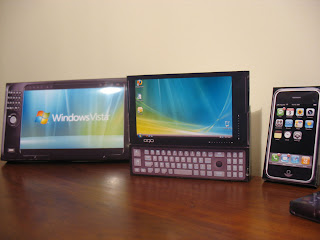
Apple iPhone, Nokia E90, HTC Shift

Q1 Ultra, OQO 02, iPhone, Nokia E90, HTC Shift

Q1 Ultra, OQO 02, iPhone

Tuesday, May 15, 2007

My first InkShow on GottaBeMobile.com

G'Day from Downunder! My name is Hugo Ortega and yes, I am an Aussie! It is with great pleasure and much enthusiasm that I join the GottaBeMobile Team and provide you with this - my first GBM InkShow.

When faced with the challenge of picking my first topic I couldn't resist the opportunity to showcase my latest UMPC, i.e. the OQO 02. Since unboxing my “shiny” new OQO two-weeks ago I felt the time was right to Vlog my thoughts. This device has captured the imagination of many and had lots of us salivating since its unveiling at CES 2007. As you can imagine I was somewhat excited to receive it and after spending the last 16 days with it as my fulltime machine I felt compelled to break my silence.


In this video I cover the following topics:

  • The Pen Experience (including a look at inking in OneNote 2007 and using the TIP)
  • I do a brief UMPC comparison (side-by-side view of the OQO and 5 other UMPC)
  • We get intimate with the OQO 02 DVD RW Docking Station (including a sneak peak at how I replaced my desktop with this device)
  • And more…

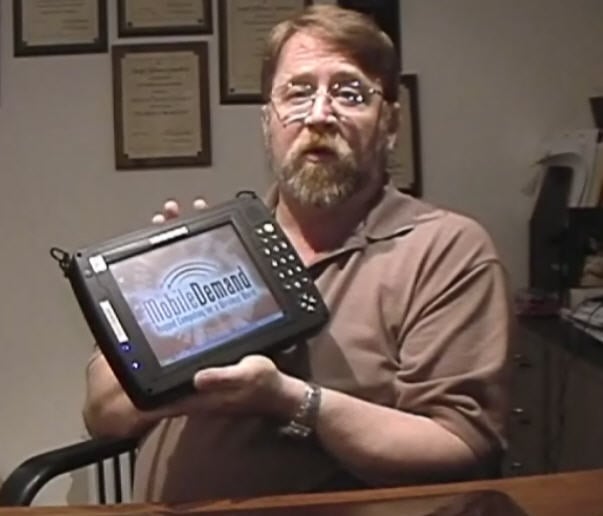
Mobiledemandshot1So if you’re at work make sure your boss isn’t watching (or maybe make sure s/he is). If you’re at home pull up a chair, get comfy and grab some popcorn. The next 40 minutes are designed to inform, enlighten and most of all entertain!


The Model in the video is the one OQO terms the OQO 02 -Best with Windows XP Professional. I performed my own manual upgrade (not a clean install as my device did not like that) to Windows XP Tablet PC Edition and bought the additional pen to utilize the included Active Digitizer screen supplied in the 02.


Enjoy.

[Ashamedly I forgot to mention battery life in the video: “on the std. 3 cell I am getting a pinch under 2hrs, and on the 900omAh I get a pinch over 4hrs. That’s with “some” Bluetooth and “some” wireless.]

Watch or download the High Res version (47:59 minutes, 367mb, Windows Media streaming or direct download)


All GottaBeMobile.com InkShows are sponsored by:


Friday, May 11, 2007

My 5" Day and a plane

This post has been prepared throughout my working day using nothing but my OQO 02 with Dopod 838 pro for connectivity. I am not preaching or teaching; only telling you how I use my OQO. It is my desktop, notebook and Mobile PC. So far so good.

  • 6:00 am – wake and check email (docked and connected to Ethernet)
  • 7:00 am – reply to emails and read comments on blog (still docked)
  • 8:05 am – show me boarding pass to the front counter and ask for a print out.
  • 8:11 am - check emails at the airport and reply to three emails urgently
  • 8:16 am – finish a conversation with one of my blog readers (using ink on Messenger)
  • 9:04 am – on flight DJ822 heading to Melbourne typing this
  • 9:11am – read an interview, in the Virgin Blue Magazine, of Toshiba General Manager Mark Whitttard. Quote: “I think eventually the keyboard will disappear and forms of input will be handwriting and voice. We see that in maybe five years’ time there will be flat, slate-style products without keyboards that will be very portable and compact. We actually have a prototype that folds up – imagine an A4 sheet of paper and fold it into thirds as if you’re putting it in an envelope to mail it. We’ve developed some very flexible LCD screen technologies.”
    WOW…straight from the horses mouth! Maybe true Origami is et to come!
  • 9:40 am – finished preparing my PowerPoint Presentation (titled: UMPC, past – present – future)
  • 9:42am – remembered that I needed a background image for the PowerPoint so I fired up Photoshop and created a quick JPEG. (still on the plane)
  • 11am – arrived at Melbourne CBD checked emails and replied to three urgent emails. Met a friend for coffee and reviewed my PowerPoint presentation.
  • 11:55am – transferred the PowerPoint presentation from me OQO, via USB memory stick, and sat in a meeting taking notes on OneNote.
  • 12:20pm – dropped the standard battery and popped in the extended.
  • 2pm – went back into meetings and kept taking (OneNote)
  • 2:10 pm – went to lunch and came back to check/answer emails. Read blog comments (favourite part of the day) and watched some YouTube.
  • 3:00pm to 5pm – met with Victoria Government and talked UMPC. Answered more email. Entered notes. Updated contact details and used Outlook Instant Search to find some attachments I referenced in the meeting (spontaneously).
  • 5:45pm to 6:42pm – sat at the Virgin Blue lounge and answered emails, replied to readers on my blog, answered more emails, made more phone calls and took more notes on OneNote. All connected to wifi this time.
  • Now – heading to catch my plane and on my way home. Yeah!

Life at 5" feeling pretty good

I know it has been a while between posts but I have been overwhelmed with work commitments, family commitments, fun commitments, and to top it off the migration of my life onto the OQO 02 took a bigger toll than I initially expected.

So without delay it is my absolute pleasure to announce that I am 100% fulltime OQO-ing! As this picture might suggest I have solved the screen size issue, I have found several preferred input methods and my Internet connectivity is near perfect.

23" running Outlook and Blog,

5" runnning OneNote and Messenger

Here is what I am running on the OQO currently:

  • Windows XP Tablet PC Edition (manual installation as I had bought the XP Pro version
  • Office 2007 Ultimate Edition (I love that name)
  • MYOB v.12 (Accounting Software)Adobe Photoshop 8.0 with Image Ready
  • Castblaster
  • and several other mandatory apps

I plan to install:

  • Cyberlink PowerDirector
  • Tablet Enhancements for Outlook
  • Minjet Mind Manager
  • And more

It feels like I have turned a corner in my mobility and it might be really hard to turn back. Today I answered emails while watching my son at Swimming Training - not impressive to some of you I know - but I also caught up on some YouTube, I finished of a PowerPoint Presentation for tomorrow, and, I reviewed and amended a Pricelist using Excel.

Let me know your questions I will do what I can to answer them via video, photos and text throughout the next few weeks. Tomorrow I am on a plane to Melbourne for the day and plan to give my new Mr. Mobility persona a good run for its money. With my Dopod 838pro (in my left blazer pocket) and my OQO 02 Best (in my right blazer pocket) mobility has never been so literal.

Wednesday, May 02, 2007

CeBIT in Motion, Motion in CeBIT


While on the CeBIT floor I have been video interviewing exhibitors for CeBIT TV. I’ve spent time with IBM, Panasonic, WalletFlash and more. It is fun to do and often informative. On this occasion I chose to interview Motion for CeBIT TV but when we stopped filming I asked for one more take for the UberTablet Blog. Given that I had held the new Motion C5 in my hands while I was in Redmond I had always regretted not Vlogging it for you guys – so with a second chance at it I just couldn’t resist.

It’s short, its sweet, but at least you get another glimpse at these yet to be released products.
(Brett Gross is Motion’s Australian Representative)


See it on MyYouTube.com

Blogging from my OQO 02


So most of you wat to knowwhat it is like to live in a 5" world. today, thanks to my new OQO 02 and my Dopod 838 pro I a tell you. As you know I am at CeBIT Australia blogging Officially and as attending as Guest Speaker. Now that I have completed my talk I have a moment to sit dow, drink some water a publish a post.


So what's a 5" world look like? It actually is very very mobile to say the least. To give give you and example here is how I used my OQO today:


  • I logged in at 7am and checked my emails. 32 came in and I answered 3 (I'll do the rest later)
  • I arrived at CeBIT, picked up my Speakers Badge, checked my emails ans replied to another 6 emails.
  • I went and Video interviewed some attendees for the CeBIT Blog and logged back into check my emails.
  • Sat down for 5 minutes and read some GottaBeMobile, some JKonTheRun and some Sydney Morning Herald.
  • Got pinged online by several friends and readers - and I actually answered while walking around.
  • Wnt to lunch and had a wine to calm the nerves before my talk - logged to the internt during lunch to show my friend the MVP of the Month thing.
  • Went on stage at 1:45pm and sat with the OQO in my hands as I was being introduced, looking over my PowerPoint Presentation.
  • Finished my talk and answered two emails, while on stage, and waited for the last of the three Speakers to wrap up.
  • Came ack to BloggerZone, pulled up a beanbag and blogged this!


So is life productive at 5"? you decide.

An Honorable Mention

Firstly I need to express my humble appreciation for YOU, my readers. I have worked diligently on and off the blog to provide the best support I can. Be it Video, Podcast, Text or Business I am constantly looking at how I might best serve your needs. It is with sincere pleasure that I do this and look forward to continuously finding new ways to make use of my passion, and commitment to teaching.

Why this comment?

Microsoft runs a Monthly Profile on a Most Valuable Professional (MVP) of their choice named MVP Insider. Now the list of great MVPs is by no means exhausted, and the quality of candidate so varying that Microsoft must have a tough time choosing each month. For whatever reason however this month they have chosen me, Hugo Ortega.

So if you are interested in knowing more about me, or wish to read Profiles of other MVPs dating back to February 2004, then head on over to MVP Insider now. For the others I have pasted together a JPEG of the page. Interestingly as you flick through each month you might notice that I am the first Tablet PC MVP to be profiled and the first Australian too; a double win for Tablet PC and Oz!

Hugo Ortega: MVP of the Month, May 2007

Monday, April 30, 2007

Hosting the BloggerZone Breakfast

My first duty in the morning is to launch the Official BloggerZone lounge at CeBIT Australia 2007. I'll be meeting a group of 25 bloggers for pastries and coffee while accompanied by my OQO 02! (I had to mention it again).

I just want to apologies in advance as I will not be able to answer your many queries regarding the OQO 02 for a couple of days but please keep the comments coming! I will keep my promise and answer each and every comment individually (as usual). In the mean time be sure to visit CeBITAustralia.blogspot.com for videos n' stuff.

Stay well!

[Wednesday is my big day on stage]

Unboxing the OQO 02 outside America

Finally I can reveal why the FedEX Man came to visit. And the reason is the new Model OQO 02 - BEST and Docking Station!

As I mentioned Mr. FedEX (his name is actually Ben) has been known to come to my place once or twice before but on this occasion I must admit that even I was a little more excited than usual. Given the Ultra-Mobile PC story and where it is up to today you’ll soon see why replacing a desktop and becoming truly Ultra Mobile is nothing but a little black-package away. (“black-on-black-on-black”)

You might note that in this video I am proud to welcome a brand new Platinum Sponsor to the website in none other than manufacturer VIA Technologies, Taiwan! In a rather timely announcement they also happen to be the manufacturer of the Ultra Low Voltage (ULV) Processor shipped inside the Model OQO 02.

Welcome VIA Technologies!


View it on MyYouTube.com


Sit back and enjoy the first ever unboxing of the OQO 02 outside of North America! My follow-up video will be posted on GottaBeMobile.com on May 10th!
My GottaBeMobile Cartoon Head!

Saturday, April 28, 2007

FedEX Man is coming

*UPDATE 30th April 2007* As I logged back in to find out the status of my FedEX delivery I can see that it is "ON THE TRUCK":


*UPDATE 29th April 2007* As I logged back in to find out the status of my FedEX delivery I can see that it has landed, and, has also cleared Australian Customs. This means that by 10am (GMT+10:00) I will have all the pieces with me! Here's proof:


Now I've been known to blog about the FedEX man before, and I've also had one or two world exclusives. While this one is not the later, it is worth blogging about! Stay tuned as I am but days away. With CeBIT Fair Australia around the corner this device package will come in very handy.

For obvious reasons I have erased certain sections of the FedEX page.


Friday, April 27, 2007

Tablet PCs and Koala Bears: GottaBeMobile Podcast #15

Another week has passed and I am closer to becoming a Vlogger on the GottaBeMobile site! As the day nears I somehow become more and more associated with the GBM crew. On this occasion it's my second podcast with Dennis Rice and Warner Crocker and boy you can start to feel the rapport oozing all over the microphone.

So if you’re interested in what three one-eyed maniacal Tablet Geeks have to say about Tablet PC then hope on over and listen to Show number 2 (ask Rob about the numbering system) #15!

Here is a snipping from the post:

Ok, we can cover Tablet PCs and Ultra-Mobile PCs, but we can’t do math. This is GottaBeMobile.com Podcast #15. Or so says Rob (does he do our books?) so we’ll take his word for it. And in case you are wondering, no Koala Bears were harmed in the recording of this podcast. In any regard this show is full of mobile podcasting fun, and lots of talk about Tablet PCs and Ultra-Mobile PCs featuring none other than yours truly, Dennis Rice, and Hugo Ortega.

NO KOALAS WERE HARMED IN THE RECORDING OF THIS PODCAST - OR AFTER IT EITHER

Steve Ballmer and HTC Shift

It's interesting how "The Shift" is being evangelized by Microsoft seniors now. It must tick a lot of boxes to have Steve Ballmer show it off on a recent television interview in Germany. Here is a great video posted by JKKMobile and here is more information from Chippy regarding the interview.


This confirms for me a couple of things:
  • The Shift is thinner than expected (well spotted ELO)
  • The tilt on the keyboard is solid which means the screen will not rattle when you touch-type
  • It seems to have a bright screen - given the amount of fluorescent lights used in a Television studio the screen still seemed pretty well lit

What it does not confirm:

  • Cost
  • Cost
  • Cost
  • Cost
  • Pen features
  • Touch Features

Overall it looks the biz! Great job Chippy and JKK!

Wednesday, April 25, 2007

CeBIT Fair is back and so am I

CeBIT Fair is just around the corner and there is a real buzz in the air. I have been asked to play a significant role again so sleep is really something I have little time for. For your own reference my duries include:


I’ll keep you posted on how it all goes but for now all I can say is this: “thank God for the Samsung Q1P and 8 cell PowerBank. I’m gonna need it!”

Had a MID in my hands

Without being able to say too much I have to say this..."this week I had a MID in my hands and surfed the Internet without a hitch!" (not an Intel MID, but still a MID)

I will post more very soon.

Saturday, April 21, 2007

David Wallace Kludges with UMPC

I've been mates with Lifekludger's David Wallace for some time now. It's always interesting to get his perspective on the mobility scene based on his lateral thinking about mobility vs. immobility!
On this occasion he has the EO i7210 UMPC and he has posted some thoughts. In it readers get unique insights into the major benefits, and, fundamental flaws in UMPC for folks with disabilities.

Thanks to a kind spirited supporter, who handed the UMPC to him, David has done a fantastic job of sharing his impressions interpreted via his life as a Quadriplegic. I always love reading his stories and am passionate about being part of his solution. Great job Dave!

Read the article here: Lifekludging a UMPC

In Remembrance

To all our my Readers,

Given the amount of my readers that live in the United States I have decided to also remember those affected by the Virginia Tech incident. Although I am in Australia I now am more affiliated than ever with the USA since joining GottaBeMobile. My heart and condolences goes out to those affected.


Here are some words from GottaBeMobile website:

This will be the last post you see on GottaBeMobile.com today, in honor of the Hokie Nation.
It has been a sad week for those families, friends, staff and so many others at Virginia Tech. My niece, Erin Kirks, is a student at the university, so I lived it through her emails a bit. We all really need to stop a moment and reflect upon the event, and offer up our wishes and prayers. Those who were there lost something on that day. Those of us who experienced it from afar have each lost something as well. Every time an event like this happens, something I can only describe as a bit of our innocence slips away, stolen by those who wish us harm. By stopping for the day to reflect, I honestly believe we can claim back some of that innocence as we turn our hearts inward, and pray for those most directly affected. There are more difficult days to come, so let's all not isolate our caring to just this one day.

Our thoughts, our prayers, and our best wishes to every one in the Hokie Nation as they move forward with pride and confidence.

We Remember:

Ross Abdallah Alameddine
Christopher James Bishop
Brian Roy Bluhm
Ryan Christopher Clark
Austin Michelle Cloyd
Jocelyne Couture-Nowak
Kevin P. Granata
Matthew Gregory Gwaltney
Caitlin Millar Hammaren
Jeremy Michael Herbstritt
Rachel Hill
Emily Jane Hilscher
Jarrett Lee Lane
Matthew Joseph La Porte
Henry J. Lee
Liviu Librescu
G.V. Loganathan
Partahi Mamora Halomoan Lumbantoruan
Lauren Ashley McCain
Daniel Patrick O'Neil
J. Ortiz-Ortiz
Minal Hiralal Panchal
Daniel Alejandro Perez
Erin Nicole Peterson
Michael Steven Pohle, Jr.
Julia Kathleen Pryde
Mary Karen Read
Reema Joseph Samaha
Waleed Mohamed Shaalan
Leslie Geraldine Sherman
Maxine Shelly Turner
Nicole White

Friday, April 20, 2007

Mobile in Melbourne

I have been on tour with Microsoft and completed two days of IT Shows targeted at the Medical Vertical Arena. I was asked to tag a long as Mr. Tablet and boy did I! I brought a Samsung Q1P, and ASUS R2H, a Sahara Slate and some others. I walked in the room with them all turned on and was instantly swamped by Doctors (wanting a Mobility diagnosis, LOL.)

I will post more on the events later but now - as I sit in the car park outside the restaurant I will taunt tonight - I decided to blog from my car using the Q1P and Organiser Pack as my PC, and my Dopod 838 pro as my HSDPA modem!!!

Life's good great awesome unbelievable when you're truly mobile.

Thursday, April 19, 2007

GottaBeMobile Podcasting again! Show #1 hits the airwaves!

So it's been a week (almost) since the announcment that I will be joining GottaBeMobile (active in May) and I am already being roped in getting involved! This time it's a Podcast with Dennis (Bill Clinton impersonator) and Warner (big laugh dude).

So here are some notes from the Dennis, and links:


"Yeah, yeah, I know, it's not really show #1, but it feels that way since we have made a new committment! We have done a few sporadic Podcasts in the past, but now we really mean it. Dennis Rice and Warner (what is that guy's last name? Oh yeah, not I got it) Crocker have made a committment to do around 4 of these shows a month, so get your subscription while it is hot!


In this show, we have a special guest, none other than our new teamie, Hugo (aka Poogie!) Ortega from Australia. We hope that Hugo will be joining us for more of these shows, as will the other members of the GottaBeMobile team. In addition, in the future, we are working on a list of special guests that we hope to get some commentary on as well, so you wanna be keeping an eye out on this little podcast folks!"

Wednesday, April 18, 2007

At the Car Wash

Often I like presenting the weekend side of my UMPC story. This weekend just past was no different as I spent time with my favourite little man, my son Leon, and we hit the streets with one of our favourite little toys, the Raon Digital Vega. Our destination was the local Car Wash and our plan was to catch up on some videos and podcasts we still hadn’t watched. It so happens that when I emptied the car of its belongings, and before handing it over to the attendant, I found my video camera in the back seat – hence this video.

Not life changing, and definitely not insightful (perhaps), but if anything it shows the size of the Vega when compared to a five year old. It shows the FUNction and how these devices are now an intrinsic part of our life. As they get cheaper it will become even more interesting. I am even seeing it happen in my own household, i.e. dedicated devices for dedicated purposes. In this case we have learnt that the Vega with its lack of wi-fi is the perfect iPod killer. I never have owned one and never will (an iPod) and come to think of it I do not think I will Zune either. Given that this is a fully functional PC means that I do not have the issues of syncing or ripping “appropriate” files extensions. It just works! I guess this adds more credit to Intels new MIDs?!?

By the way, the video we watched was “The Bushway’s Bag Lady Video” and we listened to the last “Mobile Tech Roundup”.


Some of you that watched the Video may have noticed that Camera Action is no longer our sponsor on UberTablet . They had a great run and we had great fun being part of their outfit. It is time to move on however and a new sponsor has been stitched up! They will be announced soon and you will all be soooooooooooooo excited to find out who it is!

Tuesday, April 17, 2007

Play Nintendo 64 on your UMPC

One of my readers, Sean Tan, recently got himself a TabletKiosk EO V7110. So here’s the first thing he did with it…he installed a Nintendo 64 emulator on the machine and played some games!

He has even posted a video of it (albeit without music - come'on Sean!)


I thought it would interest some of you to know how he did this as you might have a cupboard full of old games you might want to dust off! Here is a copy of Sean's email dated 12th April 2007:

Hi Hugo,

I made a video of my eo v7110. It's of me playing the Nintendo 64 game Super Smash Bros using an emulator on the eo. I thought that this may be of interest to some people. It showcases the portable gaming aspect of UMPCs, as I know one of the criticisms of UMPCs is the lack of gaming ability.I chose to make a video like this since most people choose to review the features of the eo v7110 without showing its potential for some fun.

I thought you may want to add it to your blog. Here it is: video

I upgraded my RAM to 1GB today, however, with 512MB the game runs just as fast.Just to let you and your readers know, the emulator (http://www.pj64-emu.com/) runs faster when the AC power is connected. To get the emulator to run at max speed when on a battery, I had to install RightMark CPU Clock Utility (thanks to Ctitanic).

I couldn't get the emulator to run at fast speeds without using RM CPU Clock Utility. You can run the game in fullscreen, which makes the eo look like one large Game Boy, however, it slows it down a bit.

Here are the steps to make the emulator run faster when powered by a battery. You don't have to do this if connected to AC.
  1. Start RightMark CPU Clock Uility
  2. Set Windows Power Scheme to RMClock Power Management
  3. Set RM Clock to Maximal Performance

I then had to configure the emulator to use the PageUp and PageDown keys as controls in the game (ie. Button A and B).

The directional pad on the left of the eo v7110 is already set as default in the game. The middle button is set as Enter.

It's not hard to work out.Of course, the eo v7110 is lacking the buttons to use all of the controls in the game. However, even with just the use of two buttons and the directional pad, the game is still very much playable and fun.

And, that's it! Happy gaming!

[Update 16th April 2007: BTW, I worked out that you don't need to install RightMark CPU Clock Utility to make the eo run at full speed. Just change the normal power profile to Home or Laptop.]

Which Tablet does Nicole Buy?

One of my readers, Nicole, from Australia, left a comment on the Toshiba R400 video I posted (Toshiba R400 in the hands of two Aussie Influentials). Because Nicole left such a big comment I thought it would make more sense to share the answer with you all as it may assist several of you.

Here goes :
(Look for my answers in red)

______


Hi Hugo, enjoyed your site and vlogs esp this one, love the paperless idea and the practices Jon uses. [Why thank you]

I have a few questions after watching the vlog that I would really like your help and opinions on:1. what was that mobile phone device that Jon mentioned about being a great paperless tool? I am shopping for a mobile upgrade, would like some food for thought. [Both Jon and I use the Dopod 838 pro – otherwise known as the iMate JasJam. I never realised I bought the phone he uses until someone that watches my videos pointed it out to me. I must have been convinced, by Jon, rather subliminally. LOL.]

2. I am also shopping for a tablet pc, and struggling. mainly btw the fujitsu P1610 + T4215, this toshiba R400, and the lenovo x60 tablet. [Nice shopping list.]

top of my considerations are:* weight (cos I am a small person, hate lugging bricks around), * CPU (i work in the the finance industry and would like to be able to run simulations on my pc, which requires CPU speed), * battery life (short battery life anything * price (i am not a millionair, but i don't mind paying for quality).# P1610 - love the weight, love 3G, concern over CPU performance; [Great choice here – the processor is only a concern if you are a compulsive multitasker. Otherwise it is pretty good with 1GB of RAM in it which is standard now. Some of my readers may be interested to know that today I found out that the P1610 with 3G in it is a few weeks away. SCOOP FOR YA!]

# T4215 - got everything except for weight, Rob Bushway's inkshow said it felt heavier than the x60, and I felt x60 during my travel earlier this year to asia, and that was so close to my weight limit. i can't find a review you did on this model. please point me to the right site, or please do one if you haven't already; [Yes Mam! Right on it. Until then however look at the review I did of its predecessor, the T4020. While it is a very different machine in the internal specs it is the same machine in the external build. Here is a link to the video – oh, who is that guy in the video!!!]

# R400 - sounds fantastic, concern over battery life, over CPU which seems similar to P1610 in ghtz, and over priciness; [R400 is one of those “Exec must haves.” It has heaps of sex appeal and looks. What it does not have in specs it makes up for in lightness, sleekness and pure funk! Battery life is probably not as big a deal as initially expected. Since Microsoft forced down a patch on Windows Update for Vista, regarding battery usage, I believe the R400 has had a slight improvement. If you watch Dennis Rice on GottaBeMobile he does a great job of showing off his legs showing the extended battery option. This is the one to buy if you do not need specs but prefer looks.]

# X60 tablet - n/a in Australia according to lenovo's website or only one model available which is the most expensive top of the range fitout with too much HD space I don't need; reviews rave abt battery life; and after watching Dennis Rice's inkshow, X60 and R400 seem to have similar dimension + weigt, except X60 with better CPU and battery life, so why should one choose R400 if X60 is also available? [If you watch Dennis Rice’s show closely (linked in my previous comment above this one) then you will notice that the R400 has a wider much brighter screen. These are big benefits if you are someone giving demonstrations on your laptop or needing to make colours look their best on screen. Don’t forget that a notebook is no longer just about you; it is often about people around you too. If you’re in finance you’re proably doing demos for folks around a tablet – with a wider brighter screen there are obvious benefits for you.

Having said all this however I believe the X60 is hard to beat. The best news is that in Australia they only offer the top of the range X60. In my humble opinion the others in the range do not stack up to the top of the range X60. In fact if ou were looking at one fo the lesser ones and you were not in Australia then I would almost prefer you bought the Toshiba M400 – as it is a far more stable machine.]

# any other tablets you'd recommend me to consider?oh, and I would need an external cd rom just to run applications. only the T4215 ticks this box. but i would pay for it separately, just want a good overall package that will "last me a while" - or is that a myth and a wrong way to approach technology these days? [I think the DVDRW is a myth. How often will you really use it? If the answer is often then you’re doing something wrong with the way you use your technology. The reasons HDD are getting bigger is so we can use them!

With regards to your comment about how to buy technology I tend to agree with you. Shop around as if this is the last laptop you will ever own. If it were, then I think you would be better off concentrating on the T4215 with its hotswappable DVDRW, or if you get another device then look at getting the best external BUS-powered DVDRW you can find; something like the LaCIE Slim line bus powered range design by Ferdinand Porsche – that’s what I use.]

3. on this note, I would also like advice on recycling notebooks. i feel terrible dumping my old dead units in the household waste bin whenever i do an upgrade (which could be freq for technology of this type). i made some good effort searching the web for e-waste recyclers around sydney(including planet ark). most recyclers come up in the research are for commercial scale and for still working units. mine are "dead" by the time i upgrade cos i sometimes break it up to see / take inside components before i trash them, or they simply died from being soaked in tea or coffee or something like that. i am more looking for a "e-waste 4 planet ark" type program similar to the "cartridge 4 planet ark" one at the post office. one with a place i can easily visit and dump the dead units. is there one? what's yours or Jon's recommendation? [Regrettably I don’t know the answer but I will see what I can come up with. I will ask Jon to address this one for me. I know Dell was doing some of this in the US of A, and Australia, but I am not sure if this is still present and continuous. Anyone know???]

thanks so much for helping develop the tablet forum, esp in australia. sorry about the very long rambling and for so many questions. viewing your blog has been most interesting and helpful. please keep up the great work you do... [Thanks Nikky. As long as there are readers like you requiring my assistance I will keep doing what I am doing. Otherwise I will go away and do something else - that’s a threat!] cheers, nicole

As far as "the final word" goes I would always put my money on the T4215 first, the Lenovo X60 second, and the R400 last. The T4215 I like the most because of the capabilities and the battery options. Becasue the battery sits in the machine (in place of the DVD RW) and not outside and cumbersome like the others, I believe it makes for a compelling buy. The X60 is an awesome choice however and better if you need a lighter machine as your main priority.

R400 - well the R400 it NOT worth every cent but you sure WOULD buy it if you had the money!

I know lots of my readers would include the ASUS R1F based on specs alone but if you have ever held one you would proably know why it is not in my list. Ergonomically, it and the HP beast, are about as ergonomic as a Hummer in a shopping mall car park.

Hope I've helped - cheers!

Friday, April 13, 2007

Hugo Ortega an Official GottaBeMobile Team Member

Tablet PC is what I love and Teaching is what I do best. So since becoming a blogger I have been gifted with the ability to bring two joys in my life together – Tablet and Teaching. So in an effort to provide the most effective use of my time, skills and knowledge I have decided to accept an invitation to join the GottaBeMobile Team! Yep, you heard me…I’m on the Team! I am the fourth MVP on the GBM Team, the First International Team Member, and one of only a few Australians to make it to the USA without leaving Sydney.

As an FYI, UberTablet.blogspot.com will continue to provide the best of Hugo Ortega on a daily, weekly and monthly basis while GottaBeMobile will now get an exclusive ability to tap into that same enthusiasm and love. Specifically I’ll be Vlogging for the GBM Team and starting from May 2007 I will be posting some GBM specific “Ink Shows” (as termed by the GBM marketing department).

So this is probably a good opportunity to thank you for your patronage on the UberTablet blog as I look forward to your continued readership and viewing! I would also like to extend an invitation to you all to join me at GottaBeMobile on a regular basis; and for those of you not wanting to keep a GBM RSS feed then don’t panic, every time I post on GBM I will also make sure the UberTablet blog knows about it!
Hold on folks...there's another Aussie in America!

Links:

Thank you Rob and Dennis for putting your faith in me! Warner, Matt and Eddie...hold on to your hats! I think we've just formed the Tablet-scape's first Dream Team!

Wednesday, April 11, 2007

Engadget does a strange job of Tablet awards

They have launched a Tablet PC of the year award for 2006 and included some very bizarre devices. I’m not so much upset with what they included but with what they omitted! Here is their list (with my comments in brackets)…

[Update – it seems as though the readers pick the entrants. (Can someone confirm this?) If this is true then the previous comment applies to the ones that nominated. Next year I will follow it more closely!]


  • Fujitsu P1610 (Correct)
  • Gateway CS210 / M285 (If price is your only concern, and Tablet features are secondary)
  • Kohjisha SA1F00 (Not sure it deserves to be there – if you speak to Chippy I'm sure he’ll tell you otherwise)
  • Lenovo X60 (Be more specific Engadget!)
  • Toshiba Portege M400 (Not for me – nothing award winning other than its great consistency towards Tablet manufacture)
Here’s my list:
  • Fujitsu P1610 (Best small Tablet with PCMCIA…um…only small Tablet with PCMCIA.)
  • Fujitsu T4210 (Best package specs and accessories for MSRP)
  • Motion LE 1600 (For best Slate design)
  • Lenovo X60 (Specifically the Multi-Touch for its all purpose functionality)
  • Motion LS800 (Best small slate – other than UMPC)

Then Engadget decides to place UMPC in the category of Handhelds! Up against DS Lite and PSP! What the…are they not listening to what we are trying to do!!! UMPC is UMPC, nothing else.

Here is my list:

  • Samsung Q1B (Best value for money and features)
  • ASUS R2H (Best all inclusive UMPC that support Pen features)
  • EO i7210 (Most capable UMPC for replacing a desktop)
  • Motion LS800 (Best built, most capable of imitating a Tablet PC, UMPC) [yes, I would call it a UMPC here]
  • OQO 01 (Best aesthetics and function in a UMPC) – NB. OQO 02 was released in 2007

Vote now!

So where does my vote go? For me it has to be the Fujitsu P1610 (for best price and features) on Engadget’s list…Lenovo X60 with MultiTouch (for best features and neat package) on my list…and Q1B (for value for money) on my UMPC list.

Dennis does Toshiba's flagship


Dennis Rice of GotaBeMobile does a great job of talking up the Toshiba R400. Keep an eye out for the extended battery demo!
The R400 is billed as Toshiba's flagship Vista notebook and if you watch the video you will find little to argue about that. So without delay hop on over to GottaBe and GettaLook at an awesome machine in action.

This is one machine I have had my eye on as my next Tablet (do I really need another one!?!?) and it is also the same machine Jon Dee and I showcased in our Geek-Out.

TIP covered off by Craig


Fellow MVP and Aussie hopeful (he'll hate that!), Craig Pringle, has posted a neat video showing the TIP in Action on a UMPC. I posted a similar video a few months back (UMPC Basics) that covered off Program Launcher, TIP, Journal, Sudoku and more.

Great job Craig!

ScreenEdit.com goes live with WPF


Some of you may know of “The Audi Keyboard” and might be keen to know how it came to fruition. Interestingly Richard Bassett, who was delegated the aesthetic duties on the keyboard, has placed a video interview online of he and Dr. Neil. Both these guys collaborated on the keyboard wihle I spun-the-plates downunder in Australia. Dr. Neil did all the scripting, Richard the Painting…and me...well I just copied some people on emails!

Either way if you’re interest in Windows Presentation Foundation (WPF or WPF/E), XAML, Expression or Blend, then head on over to ScreenEdit.com; Tricky has uploaded a WPF/E video for you guys to witness firsthand how it is that two Englishmen and an Argentinean could collaborate utilising UMPC, Microsoft and Messenger. As Dr. neil says, “it was a 24 hour operation".

Link to Video

Saturday, April 07, 2007

Hugo Ortega goes the HTC

Recently I posted about whether I would “Shift” or not! (Shift as in the HTC Shift). The reason for the post was that I had never witnessed so many emails regarding a product release as I had regarding the HTC announcement. I must admit that I was excited too so when the opportunity came to upgrade my existing Mobile Phone I couldm’t help but go for “The Shift” myself, or at least the Dopod 838pro, as The Shift is still not available. LOL.

What has me excited is that this is my first Windows Mobile 5.0 phone and the experience is a lot better than I thought. Not only do I have cameras everywhere, WiFi 802.11 b/g, QWERTY keyboard and a Touch Screen, but thanks to a third-party application I have inking too.

So as a look at the Ultimate Mobile Office I wanted to share with you my Samsung Q1P and HSDPA enabled Dopod 838pro combo! Does it get any better than this!?!? Why would anyone Blackberry anymore?
Happy Easter all!

Special thanks goes to fellow MVP Darius Wey of PocketPCTHoughts for his input on my choice of phone. Now I can finally hold my head up high at the next Sydney Windows Mobile User Group (SWMUG).


See it on MyYouTube.com

Wednesday, April 04, 2007

Surface Wave Touch Technology might be next

This week I was lucky enough to have a "Surface Wave" Touch Monitor (named: IntelliTouch) cross my path. As the description ("Surface Wave") alludes to the Touch Screen itself registers coordinates by interacting with a sound wave that crosses the screen. Quite literally X and Y coordinates (cursor movements) are recorded by someone breaking this Sound Wave by placing their finger on the screen. Cool!

So with the future in mind and the past behind us I thought I’d take moment to put some of the available technologies into perspective. Hope you enjoy it. Oh, and if you know of any cool technologies that "might" be the next big thing make sure you let me know so I can get my hands on it for you.


If you're interested in this technology make sure you look at this comparision chart. What is uberly interesting is that while Surface Wave Technology is robust, and excellent with finger, it actually cannot function with a pen or pointing device! [But it's so nice to touch.] Sounds like a combination Touch/Active Digitzer receives yet another vote of confidence for my next UMPC?

Tuesday, April 03, 2007

Human Interface Device

I’ve been studying Human Interface Devices (HID) lately and getting to know their features and benefits. [As an FYI, in an Ultra Mobile PC the most significant HID is the Touch Screen.] So in getting to know HID better I have managed to also understand it, and it appears there are some real benefits that I felt were worth mentioning as they are not entirely obvious:
  • Better ink - w/o the HID driver the pen looks like a mouse and data is sampled 30 times second, a HID compliant driver will allow data to be collected at roughly 100 samples per second. To clarify this a little you might consider a HID-less device sort of having a sticky cursor. It tends to sit on, or on top of, wherever you leave it.
  • With the HID driver the cursor gets a little spring in its step and tends to float away from an object in a parallel direction. It does not pull away but if you could disect a Touch Screen you could almost picture a cursor floating above Windows (with a HID Driver) and sitting right on top of Windows (without a HID Driver). Whilst this is not like an Electro Magnetic (EM) enabled Tablet PC (with Active Digitizer) - as there is no hover coordinate - it does have some distinct benefits.
  • For one the Tablet Input Panel (TIP) tends to float near the text input boxes, and, secondly the cursor will hover over a hyperlink or button without inherently pressing it.
  • Another benefit of having a HID Driver on you UMPC is the additional data that is collected by the Touch Controller. The Touchscreen is connected to the Motherboard of a computer via a Touch Controller (and subsequently communicates to the Operating System via a Driver). So if you take into account that an EM Active Digitizer will record pressure sensitivity and cursor jumping. It is hard to imagine this possible on a touchscreen but with a properly installed HID Compliant Driver it is.

Microsoft provides a document for OEMs that stipulates “actual” usages that need to be present in HID. Lets take a look at some of them:

  • In an Active Digitizer the HID will communicate X and Y coordinates, Tip switch (pen movements) and In-range (the Hover). As an option (to the OEM) it can also communicate Pressure, Tilt, Invert and receive information from a Barrel button (button on pen).
  • In a Touch Screen enabled device the HID will communicate X and Y coordinates, Tip switch (pen movements) and In-range too. The last one, In-range, I guess is the most crucial for us UMPC lovers. It is the piece of information that defines a usable experience, versus a barely tolerable one.

So in writing this post I want to give you some food for thought around why we keep bring HID up all the time. It is one of those acronyms that sounds uberly geekish and absurdly nerd-ish however it is also something that we should demand from our manufacturers. With HID Drivers a UMPC can start to imitate an EM enabled Tablet, without it your pen and touch experience is quite literally stuck! So when I hear about new touch screen devices like The Shift or others, all I am suggesting is that you ask the manufacturer: "to show you the HID Driver?!?!"

For more information on HID go here, or visit here.